

Litter Robot not sensing cat problems are usually caused by a dirty or blocked weight sensor, a unit that is not level, too much or too little litter, or a sensor fault. Quick fixes: power cycle the unit, clean the sensor area, check that the base is level and the litter is at the right height, then reset or recalibrate following your model's manual. If the problem continues, contact the manufacturer about a replacement sensor.
A camera such as SiiPet LitterLens does not fix this problem. It is an option only if you want per-cat bathroom tracking on a separate standard litter box.
Check: Smart Hands-Off Pet Care Tech
What Causes Litter Robot Not Detecting Cat Weight?
Most units decide a cat has entered by measuring weight, so anything that changes the reading can cause a false "no cat" result and leave waste uncleaned. Common causes:
- Dust and clumped litter on or around the sensor area and base.
- An unlevel or soft surface. A unit that rocks, or sits on thick carpet, can throw off the reading.
- Too much or too little litter, or litter built up against the globe.
- A light cat. Kittens and very small cats may fall below the minimum weight the sensor is designed for. Your manual lists the limit for your model.
- Something touching the unit, such as a litter mat, cord or wall.
Multi-cat homes can see this more often, because a lighter cat may not trigger the sensor while a heavier one does, and you cannot tell which cat used the box from the sensor alone.
How to Fix Litter Robot Weight Sensor Issues?
Unplug the unit for about ten seconds, then plug it back in. Wipe the sensor area and base with a dry cloth, or one lightly dampened with isopropyl alcohol, and keep water away from the electronics.
Check that the unit is level on a hard, flat surface, and that litter is at the fill line and not packed against the globe. Then reset or recalibrate through the app or control panel. Your model's manual gives the exact button sequence. Update the firmware if an update is available, and test with your cat once the unit has finished cycling.
Avoid hacks that go beyond the manual, since they can void the warranty.
| Fix Method | Rough Time | Cost |
|---|---|---|
| Cleaning the sensors and base | 10 minutes | Free |
| Recalibration or reset | 15 minutes | Free |
| Replacing a sensor | About an hour | Depends on the part and your warranty |
When Does Litter Robot Sensor Replacement Become Necessary?
Replace the sensor if errors persist after cleaning and calibration, especially if the unit has been exposed to moisture or heavy use in a multi-cat home. Ask the manufacturer's support about parts and warranty cover before you buy anything. Our guides on replacing the Litter-Robot 3 cat sensor and on Litter-Robot 4 weight sensor issues cover the model-specific details.
How to Calibrate Litter Robot Weight Sensors Properly?
Empty the globe, put the unit on a level surface and follow the calibration steps in the app or the manual for your model. Refill the litter only to the fill line, and recalibrate if you move the unit or after a deep clean. Test with your cat afterward.
A weight sensor tells the unit that something heavy is in the globe. It is not built to record how often each cat goes or how long each visit lasts, so it will not give you a health record.
Why Do Litter Robot Cat Sensor Problems Keep Happening?
Weight sensors are sensitive to small changes. Litter debris, an unlevel base and moisture can each shift the reading, and wear can add to the problem over time. If the unit stops sensing your cat again after every fix, the sensor may be faulty, and it is time to ask the manufacturer.
Sometimes the problem is the cat, not the unit. If your cat is avoiding the box, the sensor never gets a chance to work. The ASPCA's guide to litter box problems covers common reasons cats refuse a box.
Can SiiPet LitterLens Help If You Want Per-Cat Tracking?
It depends on what you need. LitterLens does not fix or replace a Litter Robot's sensor, and it is not recommended for automatic or self-cleaning litter boxes, so you cannot mount it on a Litter Robot. What it offers is a different way to track bathroom habits. If you want a record of each cat's litter box visits, you can use a separate standard litter box with LitterLens, and scoop it by hand.
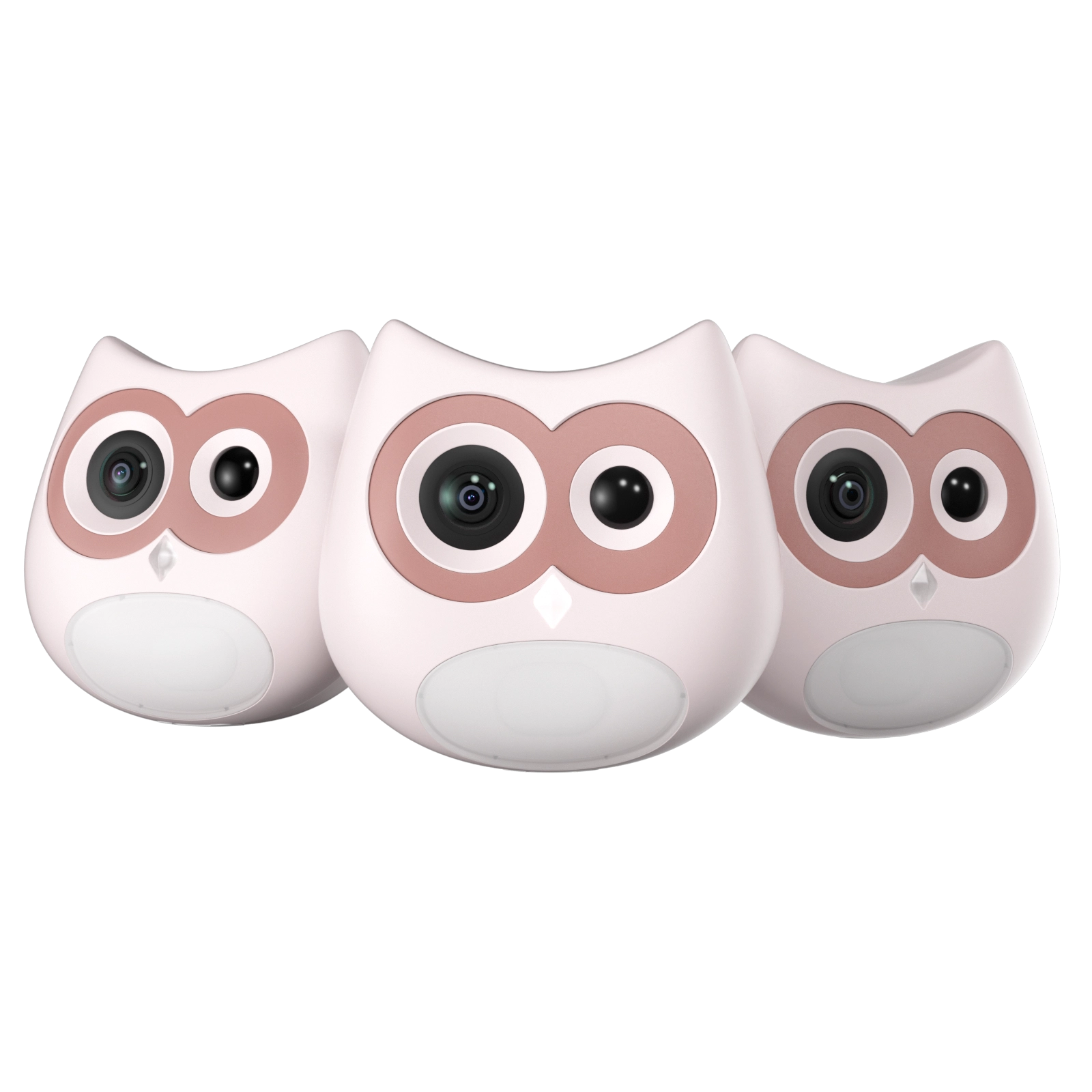
LitterLens clips onto a flat surface of the box and sees litter box visits and stool only. For each cat it logs visit count, time in the box, stool images (shape and color) and urine clump events. It builds a baseline for each cat from about 7 days of visits, stable after roughly 30 days, and flags deviations from that cat's own pattern.
Individual recognition is around 80% or better, and less reliable above five cats. Homes with several cats can browse the multi-cat health monitoring collection.
LitterLens does not diagnose anything, and it does not detect UTIs, kidney disease, bladder stones, vomiting, dehydration or weight. It needs a flat mounting surface and a litter box larger than 50 x 38 cm. Live view, recording and visit count and duration data are free. Abnormal stool and data alerts and analysis require Care+, at $5.9, $9.9 or $12.9 per month depending on the number of devices. See how LitterLens works for details.
Conclusion: Fix the Sensor First, Then Decide on Tracking
Most Litter Robot detection problems come down to cleaning, leveling, the right litter height and a proper recalibration. Work through those first, and contact the manufacturer if the errors continue. If what you really want is a record of each cat's bathroom habits, a standard litter box with LitterLens is one way to get it. It is a separate setup with hand scooping, not an upgrade to your Litter Robot.
FAQs About Litter Robot Sensing and LitterLens
Can I use LitterLens with a Litter Robot?
No. LitterLens is not recommended for automatic or self-cleaning litter boxes, and it does not fix the Litter Robot's sensor. It works on a standard box larger than 50 x 38 cm with a flat mounting surface.
Does LitterLens require a subscription?
No, for the basics. Live view, recording, and visit count and duration data are free. Abnormal stool and data alerts and analysis require the Care+ subscription.
Can LitterLens detect UTIs?
No. It logs visit frequency, time in the box, stool and urine clump events, so you can spot a change and call your vet. It does not test urine or diagnose any condition.
What is the battery life on LitterLens?
About one month at typical use of around eight visits a day, and it recharges over USB-C.
Is LitterLens a replacement for a vet?
No. Its data is informational only. Take any change in your cat's bathroom habits to your vet.


